Introducing SqlCAD: The Compiler for Data Warehouse Modeling
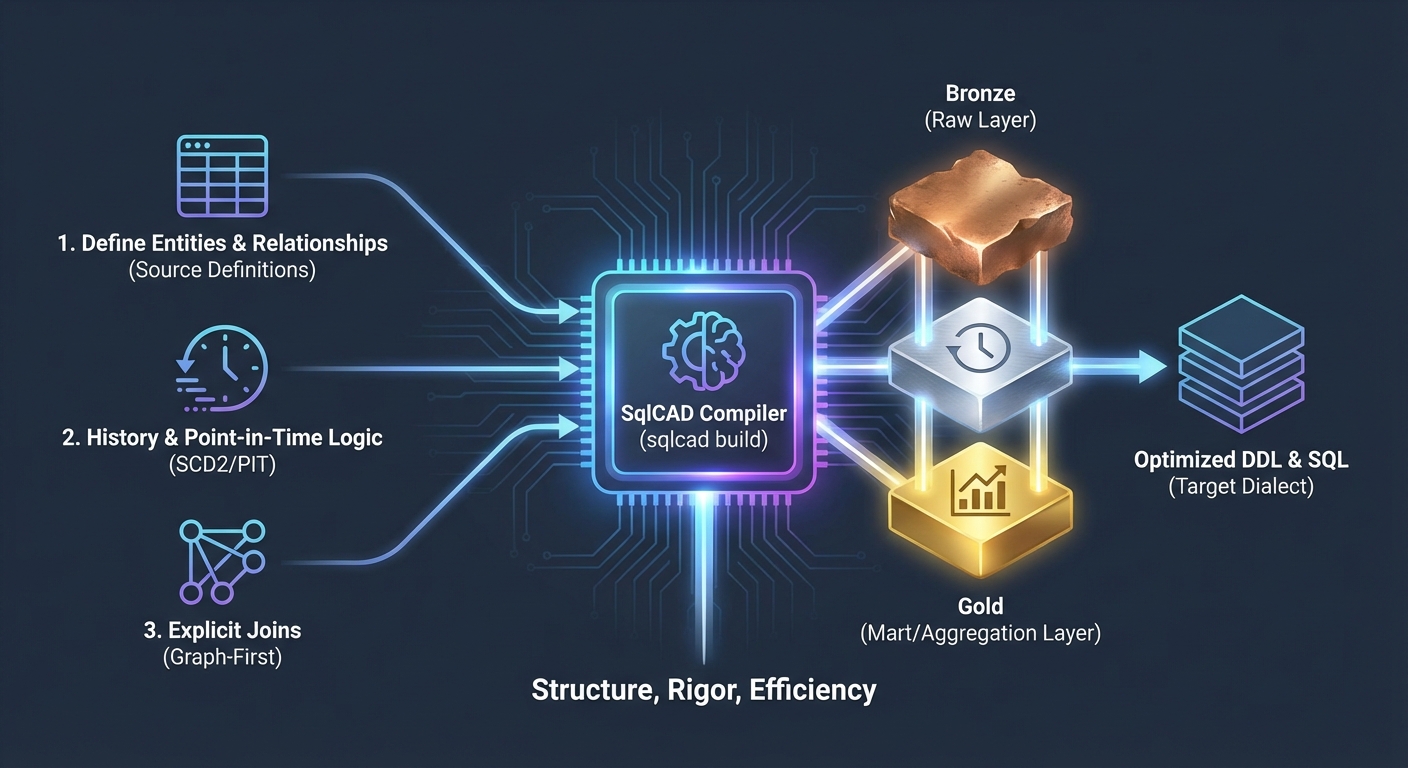
We are excited to introduce SqlCAD, a new open-source CLI tool designed to bring structure, rigor, and efficiency to Data Warehouse modeling.
In the modern data stack, "modeling" often devolves into a web of brittle, hand-written SQL queries (or Jinja templates) that are hard to maintain and prone to error. We believe there's a better way.
What is SqlCAD?
SqlCAD acts as a "compiler" for your data warehouse. Instead of writing the final CREATE TABLE AS SELECT ... statements yourself, you define your entities (tables) and the relationships (joins) between them. SqlCAD then compiles these definitions into highly optimized, dialect-specific SQL (BigQuery, Snowflake, DuckDB, etc.) ready for execution.
It's similar to how a software engineer uses a compiler (like gcc or javac) to turn high-level code into machine code. You write the intent, and SqlCAD handles the implementation details.
Core Philosophy
SqlCAD is built on a few opinionated pillars:
- Architectural Layers: It enforces a clean separation between Raw (Bronze), Entity (Silver/History), and Mart (Gold/Aggregation) layers. This Medallion Architecture is baked in, not just a suggestion.
- Graph-First: You define relationships (
JOIN) explicitly as first-class citizens. You don't repeatLEFT JOIN Customers c ON c.id = o.customer_idin fifty different reports. You define it once, and SqlCAD writes the join logic for you everywhere it's used. - History-First (SCD Type 2): Data changes over time. SqlCAD treats data in the Silver layer as a continuous timeline. It automatically generates the complex logic required for Slowly Changing Dimensions (Type 2), managing
valid_fromandvalid_totimestamps without you writing a single line of boilerplate merge logic. - Point-in-Time Correctness: When joining facts to dimensions, SqlCAD automatically injects "Point-in-Time" (PIT) join conditions. This ensures that a sales report for last January uses the customer's address as it was in January, not as it is today.
How it Works
SqlCAD uses a custom "Extended SQL" format that feels familiar but adds powerful capabilities.
1. Define an Entity
DEFINE ENTITY Orders {
    primary_key: OrderID
    type: fact
    temporal: {
        event_time_col: OrderDate
    }
} AS (
    SELECT * FROM RawOrders
);
2. Define a Relationship
DEFINE JOIN customer_link ON {
    type: many_to_one
    from: Orders
    to: Customers
} AS (
    LEFT JOIN Customers c ON c.CustomerID = Orders.CustomerID
);
3. Compile
When you run sqlcad build, the tool analyzes your entire graph of entities and relationships. If you create a Mart that selects columns from both Orders and Customers, SqlCAD automatically:
- Identifies the path between them.
- Injects the
LEFT JOINlogic. - Adds the temporal constraints (
Orders.OrderDate BETWEEN Customers.ValidFrom AND Customers.ValidTo). - Generates the final DDL (
CREATE OR REPLACE TABLE ...).
Why SqlCAD?
We built SqlCAD because we were tired of debugging 500-line SQL files where a single join condition was missed, or where a report was silently wrong because it used current dimension attributes for historical events.
SqlCAD aims to replace "boilerplate engineering" with true Data Engineering.
Get Started
SqlCAD is open source and available today.
- Check out the GitHub Repository
- Read the Tutorial
- Browse the Documentation
We'd love to hear your feedback and contributions!